
Google Drive: Show shared folders on your computer - here's how
Have the article read aloud.
Sometimes it's the little things that make everyday life difficult. I recently had a problem with the Google Drive app: a shared folder that someone had shared with me simply couldn't be found in the Finder (Mac). Maybe you have the same problem - whether on Mac or Windows? Everything else is synchronized, but exactly this one folder is missing.
The good news is that the problem is quickly solved. And yes, the solution works for both macOS and Windows.
The problem: Shared folders are missing on your computer
The Google Drive app only synchronizes content from "My storage" by default. Shared folders that are under "Shared with me" are not automatically downloaded - neither on Mac nor on Windows. This is quite inconvenient, especially if you need to access such folders regularly.
The solution: Create a shortcut in "My Clipboard"
Here's the trick: You can manually link the shared folder in "My File". This is how it works:
- Open Google Drive in the browser
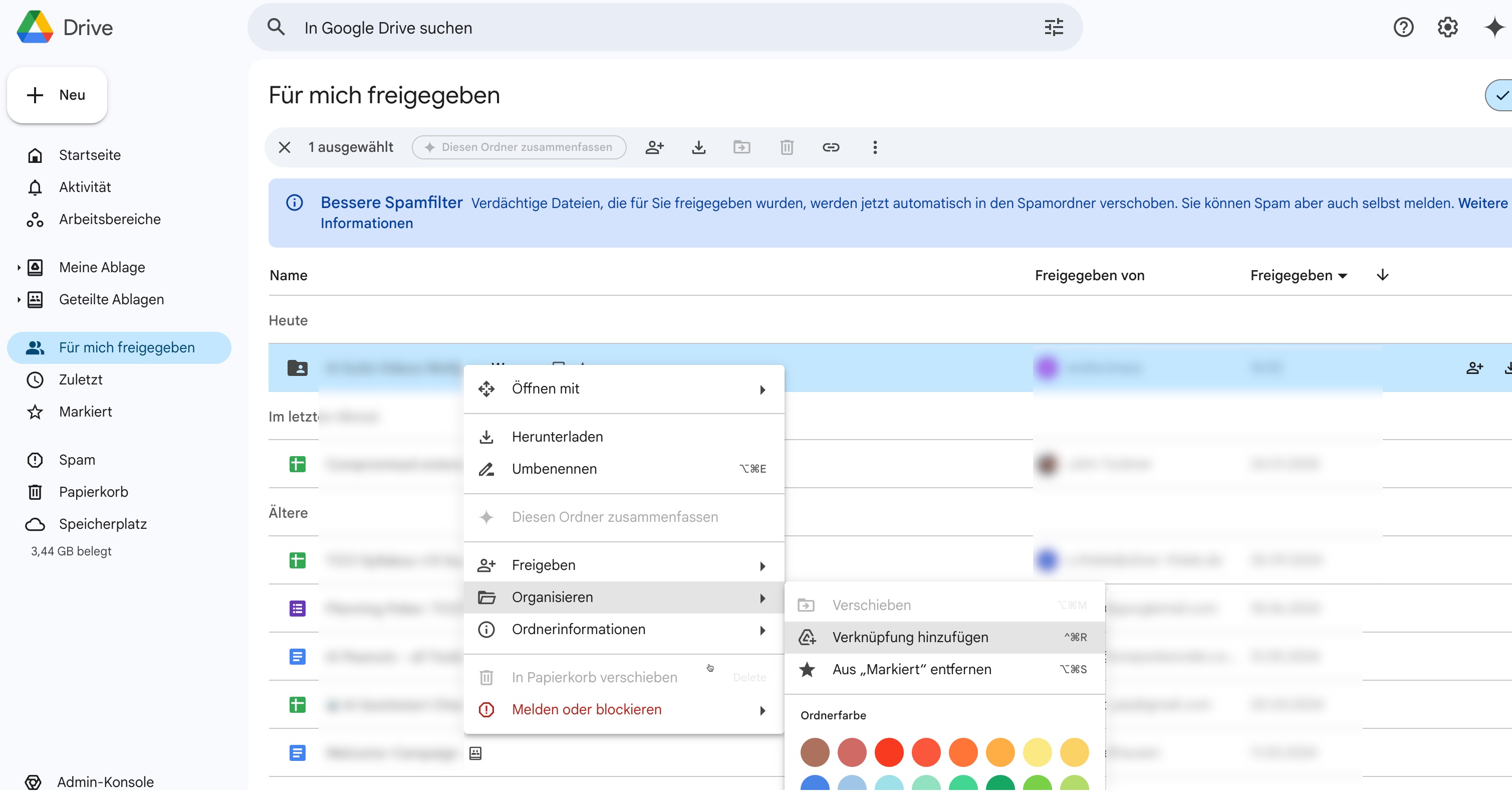
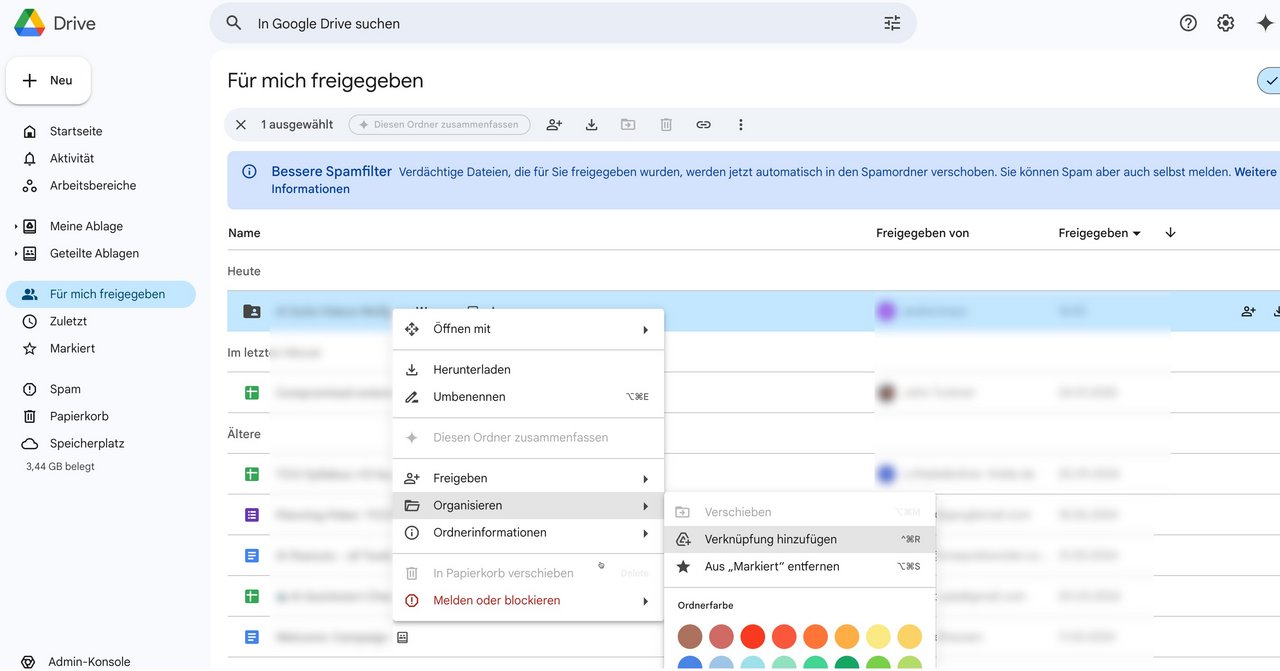
Open Google Drive in your web browser and go to "Shared with me" in the menu on the left. There you will find all the folders and files that others have shared with you. - Add a shortcut
Right-click on the desired folder and select "Organize → Add shortcut". This allows you to "move" the shared folder to "My Clipboard" - don't worry, this is just a shortcut and not a copy. - Activate synchronization
Make sure that synchronization is activated for "My File" in the Google Drive app:- Mac: The folder appears in the Finder under "Google Drive" after synchronization.
- Windows: The folder is displayed in Windows Explorer under "Google Drive".
Why this works
Google Drive treats the "Shared with me" area as a separate section that is not automatically synchronized. With the link, you're basically telling the app: "This folder is now part of my stuff." And it will be synchronized - regardless of whether you are using a Mac or a Windows PC.
BackComments under articles are disabled. If you have a question or addition, please send me an e-mail.
![[Translate to English:] Wolfgang Wagner, TYPO3 Experte und Trainer](/fileadmin/_processed_/3/3/csm_DSCF2343_1600x900_9655ab17bc.jpg)
![[Translate to English:] TYPO3 Certified Integrator](/fileadmin/_processed_/4/e/csm_TCCI_orange_h150_a05881febc.png)
Who writes here?
Hi, I'm Wolfgang.
Since 2006, I've been diving deep into the fascinating world of TYPO3 - it's not only my profession, but also my passion. My path has taken me through countless projects, and I have created hundreds of professional video tutorials focusing on TYPO3 and its extensions. I love unraveling complex topics and turning them into easy-to-understand concepts, which is also reflected in my trainings and seminars.
As an active member of the TYPO3 Education Committee, I am committed to keeping the TYPO3 CMS Certified Integrator exam questions up to date and challenging.
But my passion doesn't end at the screen. When I'm not diving into the depths of TYPO3, you'll often find me on my bike, exploring the scenic trails around Lake Constance. These outdoor excursions are my perfect balance - they keep my mind fresh and always provide me with new ideas.